For your subscribers' USDT payments to go directly to your own CoinPayments account, create a new API integration by following the steps below and grab your Client ID and Client Secret.
1
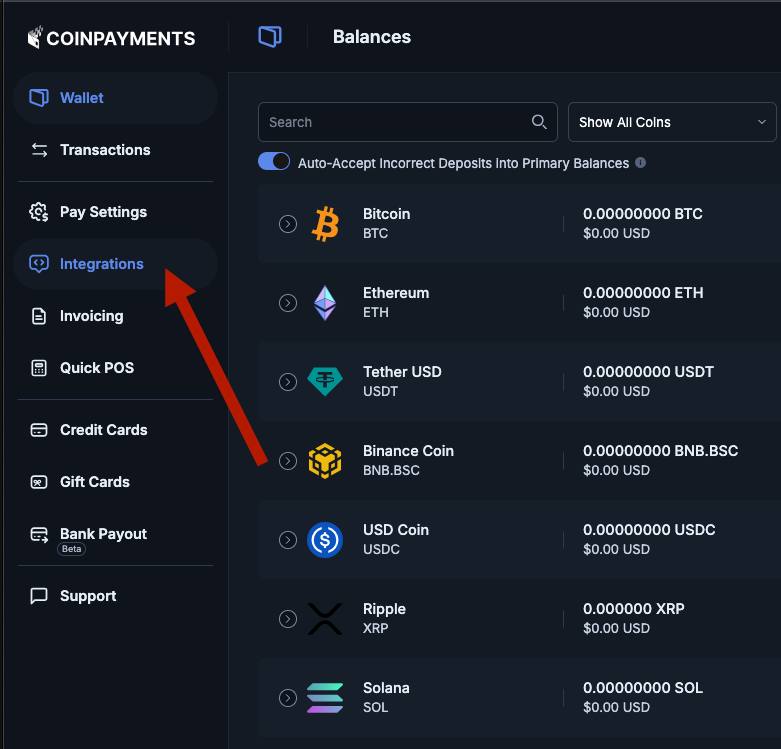
Log in to your CoinPayments account and choose "Integrations" in the left menu.
2
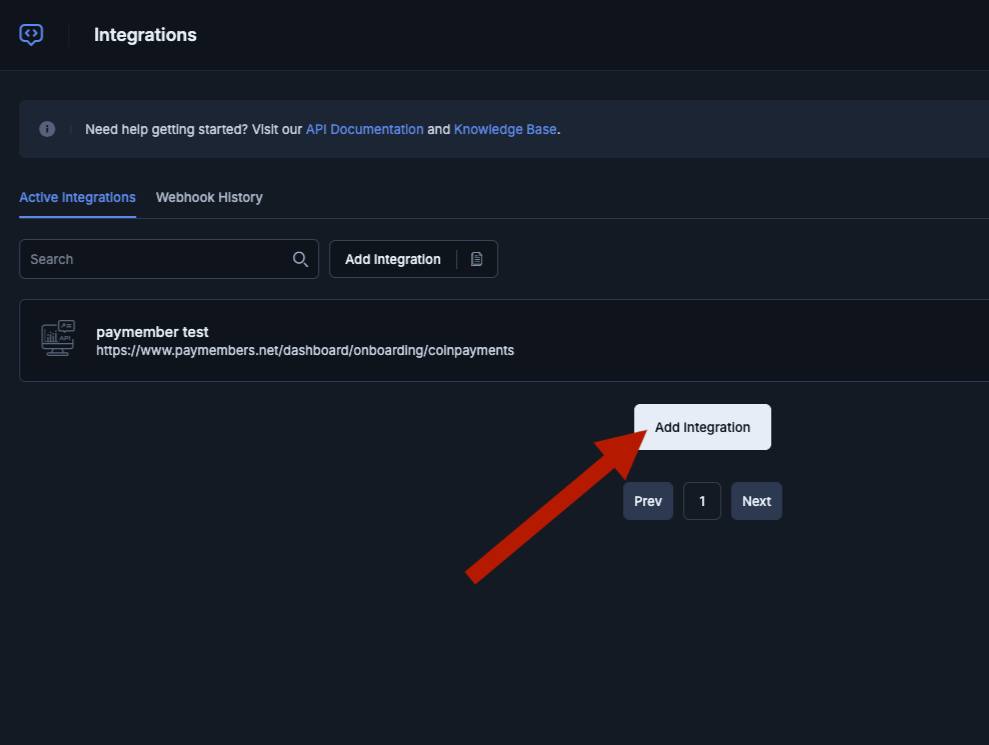
Click the "Add Integration" button.
3
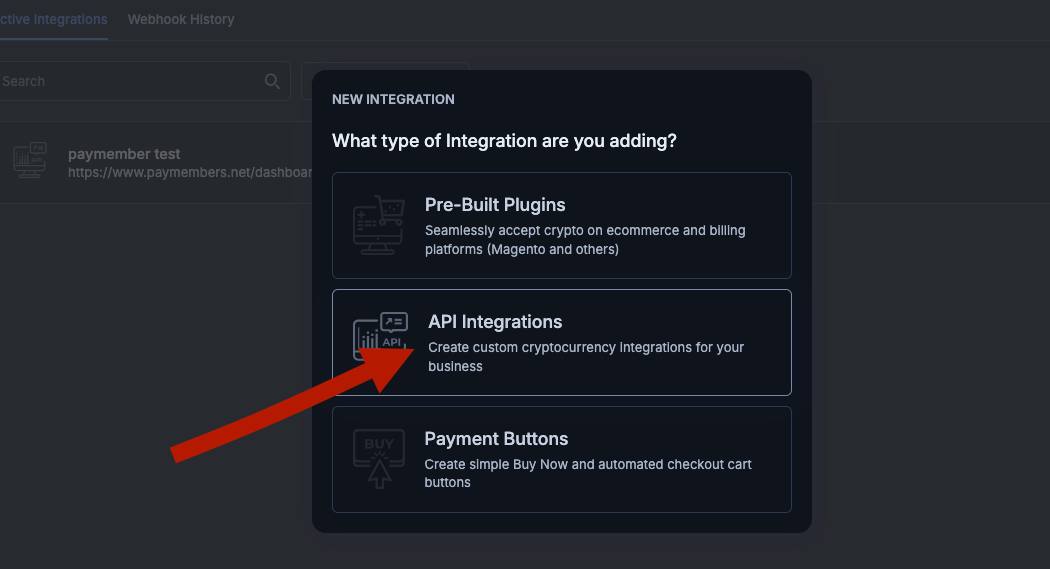
When picking the integration type, click "API Integrations" (not the store plugin or payment button option).
4
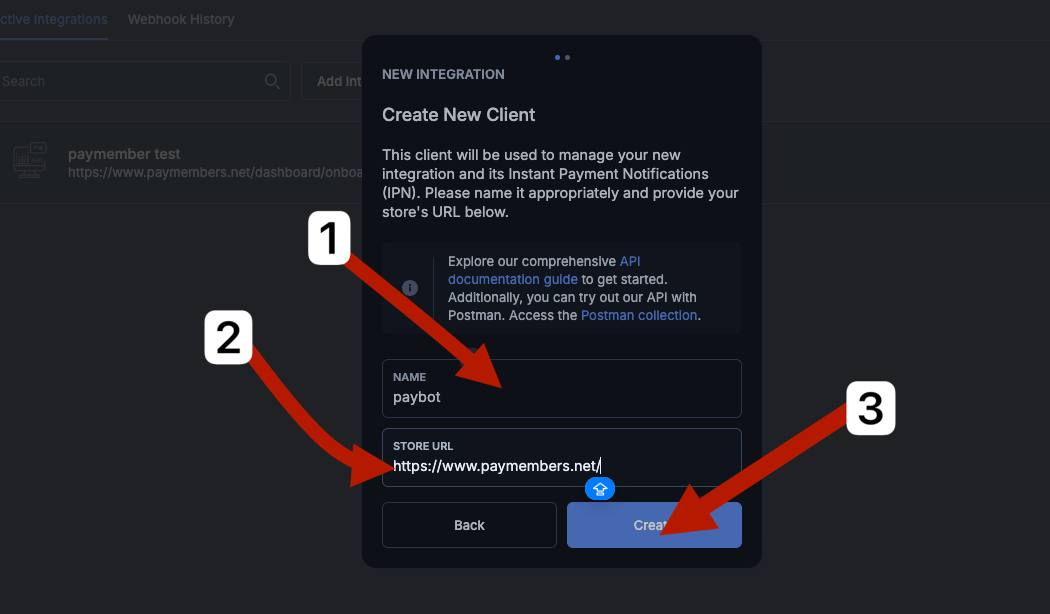
Enter your bot's name in the "Name" field (e.g. "paybot"), your site's address in "Store URL", then click "Create".
5
Once the integration is created, copy the "Client ID" and "Client Secret", then click "Done".
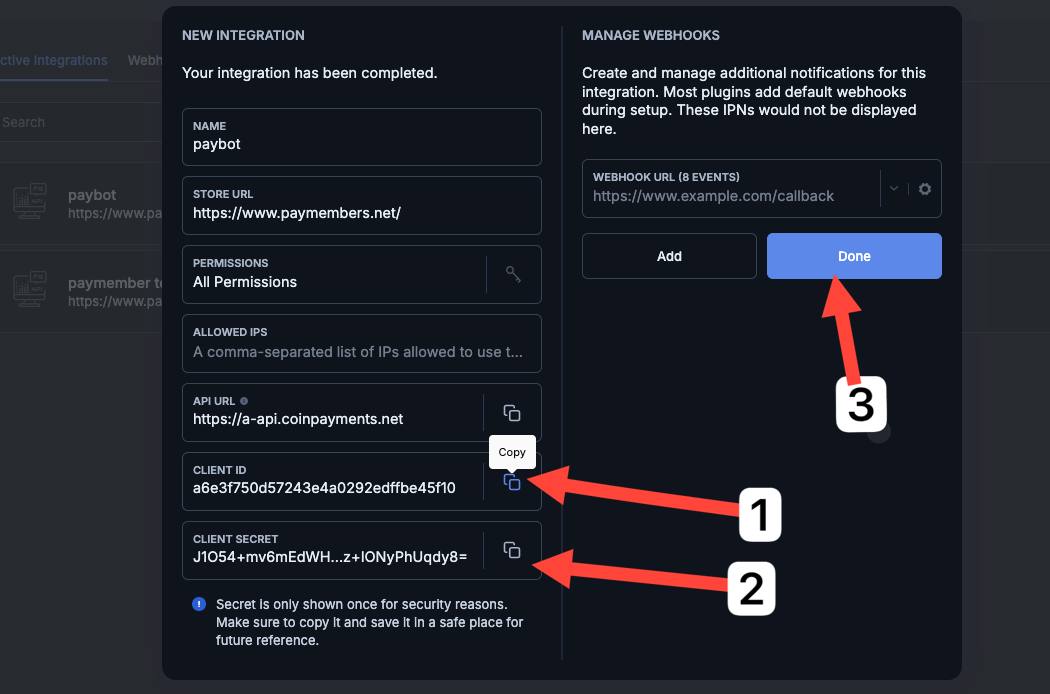
IMPORTANT: the "Client Secret" is shown HERE ONLY ONCE — make sure to save it somewhere safe. If you lose it, you'll have to create a new integration in CoinPayments.